The most common online scams. Learn how to protect yourself from phishing, malware, fake e-shops, and social engineering attacks.
1. Phishing (Fake Emails and SMS)
How to protect yourself:
- Do not click links in messages you were not expecting.
- Always check the URL before logging in to any service.
- Banks never ask for passwords via SMS or email. δεν ζητούν ποτέ κωδικούς μέσω SMS/email.
- Use two-factor authentication (2FA).
ENISA Threat Landscape (ETL) reporτ
2. Fake Websites and E-Shops
How to protect yourself:
- Buy only from well-known or certified websites.
- Check for HTTPS and the correct domain.
- If the price is extremely low, it is probably a scam.
- Avoid bank transfers to IBAN accounts for online purchases.
3. Social Engineering (Manipulation)
How to protect yourself:
- Do not trust calls or messages from “technicians,” “banks,” or “police” asking for personal information.
- Hang up and call the official service number yourself.
- Never share passwords, OTPs, PINs, or personal information with anyone.
4. Malware
How to protect yourself:
- Do not download attachments from unknown senders.
- Install antivirus software and keep it updated.
- Avoid pirated software and suspicious websites.
- Perform regular backups.
5. Marketplace Scams
How to protect yourself:
- Do not give card details to any buyer or seller.
- Do not click links “to receive money.”
- Prefer face-to-face transactions when possible.
- Check the buyer’s or seller’s profile.
6. Poor Investment Opportunities and Crypto Scams
How to protect yourself:
- Avoid investments that promise guaranteed or excessive returns.
- Check whether a company is registered with the Capital Market Commission.
- Do not invest through strangers on social media.
- Use only official, well-known platforms.
7. Social Media Offers That Seem Too Good to Be True
How to protect yourself:
- Always check the page running the advertisement.
- Discounts of 70–90% on expensive products are almost always scams.
- Avoid payments outside secure platforms.
- Do not provide personal information in contests that request sensitive data.
8. Credential Theft Due to Weak Passwords
How to protect yourself:
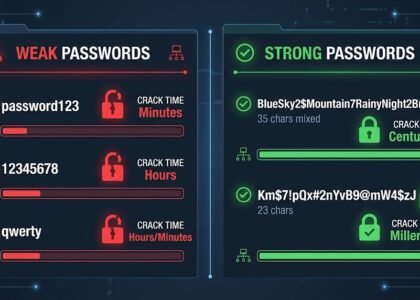
- Use strong, unique passwords.
- Enable 2FA wherever available.
- Use a password manager.
- Do not reuse the same password.
9. Public Wi-Fi Without Protection
How to protect yourself:
- Do not access e-banking or personal accounts through public Wi-Fi.
- Use a VPN if necessary.
- Avoid using sensitive applications on open networks.
- Disable automatic Wi-Fi connection.
10. Excessive Trust
How to protect yourself:
- Always question strange messages and offers.
- Do not rush to reply or complete a transaction.
- Double-check before sharing personal information.
- Stay informed about new types of scams.
Find more Cyber Security articles or contact us to learn how to better protect yourself, your business, and your digital environment from modern cyber threats.