Why Home Network Security Matters More Than Ever
Modern homes are now fully connected environments. Computers, smartphones, smart TVs, cameras, IoT devices, and even household appliances continuously communicate through the internet. While this connectivity improves convenience, it also significantly expands the attack surface available to cybercriminals.
Today, most cyberattacks are not necessarily launched manually by sophisticated hackers targeting individuals directly. Instead, automated botnets constantly scan the internet searching for vulnerable routers, weak passwords, outdated firmware, and insecure smart devices.
The good news is that improving your cybersecurity posture does not require expensive enterprise-grade systems or advanced technical expertise. A few practical security habits can dramatically reduce your exposure to online threats.
Physical Security: The Overlooked First Layer
Cybersecurity is not only digital. Physical access to a device or router can often lead to compromise.
Secure Your Router and Devices
Your router acts as the gateway to your entire home network. If someone gains physical access to it, they may reset configurations, connect malicious hardware, or alter network settings.
Best practices include:
- placing the router in a secure location
- limiting visitor access
- avoiding exposed Ethernet connections
Protect All Devices with Strong Authentication
Weak PINs and default passwords remain extremely common security risks.
Always use:
- strong passwords or PINs
- biometric authentication
- screen lock timers
- device encryption
Securing Your Wi-Fi and Home Network
Wi-Fi is the primary entry point to your home network. An unsecured router can expose all connected devices to potential threats.
Change Default Router Credentials
One of the first things you should do with any new router is replace all default credentials.
- admin panel password
- Wi-Fi password
- remote management credentials
Avoid using the same password across multiple services.
Use WPA3 Encryption
Avoid outdated encryption standards such as WEP.
Best practices include:
- enable WPA3
- use WPA2-AES if WPA3 is unavailable
- avoid open Wi-Fi networks
Create a Guest Network
A guest network helps isolate external devices from your personal systems.
This improves protection by:
- limiting lateral movement
- isolating potentially infected devices
- separating IoT systems
Keep Firmware Updated
Firmware updates often patch critical vulnerabilities actively targeted by attackers.
Regularly check for:
- firmware updates
- security patches
- vendor advisories
Disable Unnecessary Features
Some convenience features may weaken security, including:
- WPS
- Remote Management
- UPnP
Disable them unless absolutely necessary.
Device & Software Security
Security does not stop at the router. The devices themselves are equally important targets for cyberattacks.
Keep updated:
Cybercriminals frequently exploit vulnerabilities that already have available patches.
Keep updated:
- Windows / macOS / Linux
- browsers
- mobile apps
- antivirus
- smart applications
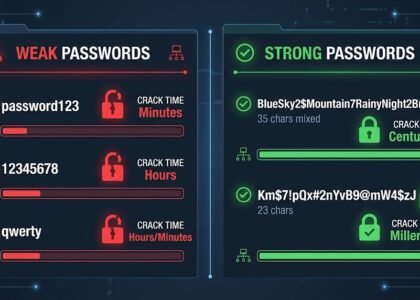
Use a Password Manager
Password managers help:
- generate strong passwords
- store credentials securely
- prevent password reuse
This dramatically reduces the risk of account compromise.
Enable Multi-Factor Authentication (2FA)
2FA remains one of the most effective protections against account compromise.
Prefer:
- authenticator apps
- hardware security keys
- passkeys
Safe Browsing Habits
Many cyberattacks rely more on social engineering than technical exploitation.
Beware of Phishing and Fake Websites
Before entering personal information online:
- verify the website domain carefully
- watch for spelling mistakes and suspicious wording
- confirm the website uses a secure HTTPS connection
- avoid clicking suspicious email links
Download Software Only from Official Sources
Avoid downloading:
- cracked applications
- unofficial APK files
- torrents from unknown sources
Malicious downloads remain one of the most common sources of malware infections.
Use a VPN on Public Networks
When connected to public Wi-Fi:
- use a trusted VPN service
- avoid online banking transactions
- do not connect to unknown or suspicious hotspots
Smart Home & IoT Συσκευές
Smart devices are often the weakest point in a home network.
For better protection:
- change default passwords
- enable automatic updates
- create a separate IoT network
- disable remote access when not needed
Conclusion
Protecting your home network and personal browsing activity does not require advanced technical knowledge or complex procedures. By properly managing passwords, securing your Wi-Fi, keeping devices updated, and being more cautious during everyday internet use, you can significantly reduce the risk of cyberattacks.
Cybersecurity is no longer optional — it has become an essential part of everyday digital life.
Find more Cyber Security articles or contact us to learn how to better protect yourself, your business, and your digital environment from modern cyber threats.